🔍 Dance Session Search Guide
How to find the right dance session for you on the Israeli Folk Dancers Association website
What can you find?
- Is there a dance session in Kiryat Ono?
- Where and when are there couples' sessions?
- Where can I dance on a Tuesday in the Jerusalem area?
- Any recommendations for a beginners' session in the Center?
The session search answers questions like these: dance sessions all over Israel, with the address, times, price, instructor details and reviews by other dancers.
This guide works for both phone and computer. On a computer the screens are wider, but the buttons are the same.
Contents
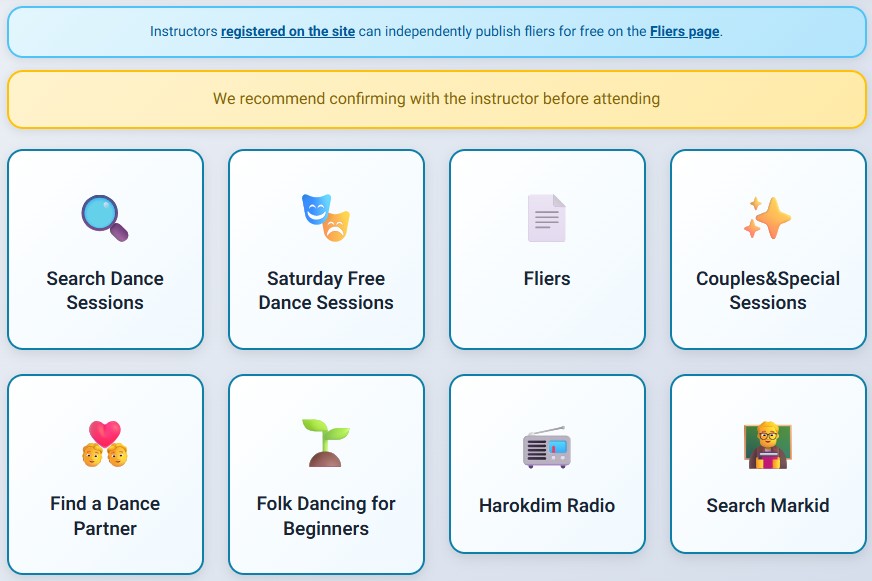
1. Quick buttons on the home page
The home page has two buttons that show results right away, without filling in anything:
- ✨ Couples & Special Sessions – all sessions that are not weekly: monthly sessions, marathons, couples' Saturdays and special events. The results are sorted by date, and the date is shown in the first column.
- 🌱 Folk Dancing for Beginners – sessions where a beginners' class opened in the last three months, with the opening date.
2. Searching with your own choices
On the home page choose 🔍 Search Dance Sessions. On the search page, select what matters to you. A selected option is colored and marked with ✓. Tap it again to clear it.
Each section also has Select All and Clear buttons.
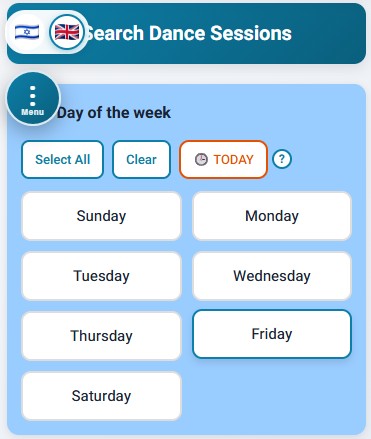
📅 Day of the week
Choose one day or several days.
The 🕒 Today button finds today's sessions: weekly sessions held on this day of the week, and special or monthly sessions whose date is today. Tap the ? next to it for a short explanation.
🗺️ Region
Choose one or more regions of Israel. The region map link shows how the country is divided (see also the end of this guide).
🏙️ City
Start typing the name of the city or town and choose it from the list. You can choose one city.
💃 Session type
Regular (circles and couples), circles only, or couples only.
👨🏫 Instructor
Start typing part of the instructor's name and choose from the list. You can choose one instructor.
👥 Audience
- Regular – sessions for everyone.
- Beginners – sessions where a beginners' class opened in the last three months.
- Women only, Kids and youth, Golden age, Wheelchairs, Blind – sessions for these audiences. For sessions for people with special needs, choose "Wheelchairs".
🎵 Repertoire
Regular, Middle way, Nostalgia, or International dances.
📆 Session frequency
- Weekly – a regular session every week.
- Monthly – a session held once a month.
- Marathons and special sessions – one-time events, marathons, couples' Saturdays and so on.
When you search only for monthly and/or special sessions (without weekly ones), the results include a date column and are sorted by date, just like the "Couples & Special Sessions" button on the home page.
💰 Price
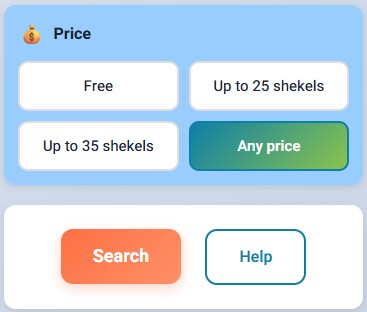
Free, up to 25 NIS, up to 35 NIS, or any price. The price you choose is the maximum; cheaper sessions are shown too.
Search
When you are done, tap Search at the bottom of the page. No need to scroll: the same button also floats in the corner of the screen as an orange 🔍 Search button.
3. The results table
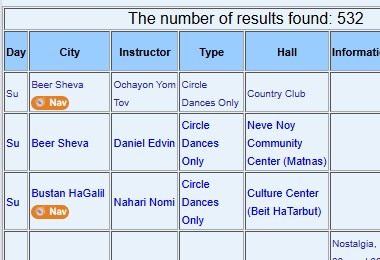
You get a table of all the sessions that match your choices. The number of results is shown at the top.
Each row shows: day, city, instructor, session type, hall, important information, start time, price and the dancers' rating.
- When you search for special or monthly sessions, a date column is added at the start.
- When you search for beginners, a column with the beginners' class opening date is added.
- Rows of sessions that are not weekly are a darker blue, so they are easy to spot.
- The 🧭 Nav button under the city name opens navigation to the hall: Waze on a phone, Google Maps on a computer.
Tap a row in the table to open the session page with all the details (in a new tab).
Floating buttons at the bottom of the screen:
- 🗺️ Map view – all the results on a map.
- 🔍 New search – back to the search page.
- ❓ Help – this guide.
4. The session page
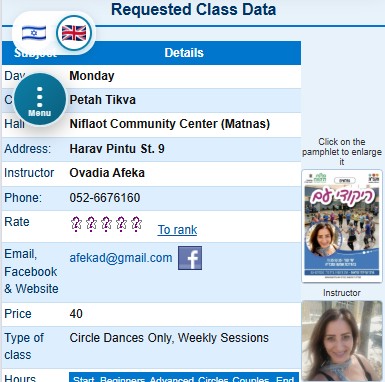
The session page shows all the details:
- Day, city, hall and address.
- The instructor's name, phone numbers, email, website and Facebook page.
- The dancers' rating of the session, and how many comments it is based on.
- Entry price, and punch cards if there are any.
- Session character: type, repertoire, audience and frequency.
- Times: start, beginners' round, advanced round, circles, couples and end.
- Hall details: request board, floor type, parking, air conditioning, cold water (cooler) and showers.
- Refreshments.
- The beginners' class opening date, or the date of the special session.
- General information: winter and summer hours, notes from the instructor and so on.
- Getting there: tap the map icon to see the exact location, and the Navigate button to start navigation.
- The date the details were last updated.
The session's flier (tap to enlarge) and the instructor's photo are shown at the side.
6. Region map
How the country is divided into regions in the session search:

Questions and updates
Found a wrong detail, or know a session that is not listed? We'd love to hear from you: Contact us.
5. Comments and ratings
Below the session details you will find the dancers' reviews: the writer's screen name, the date, their rating, the title and the text. "Hide comments" hides them and "Show comments" brings them back.
How to add a comment and a rating
Please use proper language. Offensive comments, and repeated comments under different names, will be deleted by the site managers.